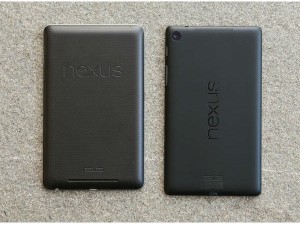
NEW YORK: Some Nexus 7 and Nexus 5 users have been reporting that Google’s Lollipop update has bricked their devices.
It is not known which Lollipop update is causing the problem but as per users complaining on Google’s Product Forums (via 9to5Google); their Nexus 7 tablets stopped working after it got updated to the Android 5.0.2 Lollipop.


Though the Nexus 7 2013 (Wi-Fi) is reported to be the most commonly affected device, some users of Nexus 7 2012 tablets have also reported about the same. The common issue reported by both Nexus 7 2012 and 2013 users are that the device wouldn’t go beyond the initial Google logo boot screen.
Despite various users complaining on the forum, Google and Asus haven’t come up with any official statement to acknowledge the issue. Some users are saying that Asus is ready to help and will fix the devices out of warranty for $200, but Google isn’t helping Nexus buyers who purchased outside of Google Play.
While it is not known that what exactly caused the problem, it is possible that the issue is related to a hardware incompatibility with the software, especially as the issue is reported to crop up a few weeks after applying the update. It is being speculated only device replacements can fix the issue. Some users, who have tried to manually flash their Nexus 7, report it is getting stuck on the “erasing userdata” step while unlocking the bootloader.
A general precaution seems to be that users who have already installed the Android 5.0.2 Lollipop update on their Nexus 7 tablets should refrain from switching off/ rebooting until the next update rolls out.
For the Nexus 5, users have reported that the Android 5.0.1 Lollipop update caused the issue. The number of users reporting this is less and it is again possible that the hardware is causing the problem.
To remind you, Google started rolling out the latest Android 5.1 Lollipop for its Nexus series of devices – the Nexus 6, Nexus 7 2012 Wi-Fi, Nexus 9, Nexus 10, and Nexus 5 in March. As of now, no other Nexus users have reported the bricking issue apart from these two Nexus models.