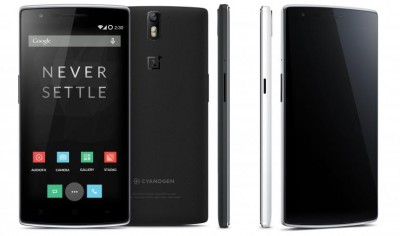
NEW YORK: American mobile software developers team Cyanogen has released the new Android 5.0.2 Lollipop update to the 2014 flagship Smartphone OnePlus One.
The new CM12 custom software is a nightly version of AOSP (Android Open Source Project) 5.0.2 Lollipop. But, it is reminded to the readers that this version is unstable and has some un-tested bugs in it.


Some of features that are missing in the nightly version are:
Theme Engine
Quick Settings reorganisation and customisation
Quick Settings Ribbon mode
Navigation bar reorganisation and customisation
Sound panel customisation
Lock-screen quick unlock
Good news is that Cyanogen has confirmed that they have completed 85% of development of the stable firmware and would roll it out soon. Until then users can upgrade their device with the nightly update.
Prerequisites (Things to remember before installing the CyanogenMod CM12 Nightly):
Users are advised to update their third party addons to ensure compatibility
The CM backupscript.sh in recovery will ignore and remove incompatible applications from your system partition (these are usually non-CM apps that users have opted to install). You must install a compatible app (or app pack) to regain that functionality
You can flash CM12 nightlies directly from CM11 M12 or CM 11 nightlies (no need to wipe), provided you read and followed items 1 and 2
Once on CM12 nightlies, you cannot downgrade back to CM11 without wiping if you are thinking of just exploring the release, take a backup of your existing installation if you want to go back to it.
Users must install Lollipop OS compatible recovery before installing the new CM12 custom ROM.
Make sure the device is rooted before going forward for custom ROM installation
This new CyanogenMod CM12 Android 5.0.2 Lollipop firmware has to be installed on the OnePlus One model only ; if tried on other devices, it might get bricked [To check your device model: Go to Settings >> About phone >> model number]
Installation of custom ROM requires clearing of memory in the Smartphone, so make sure to back all the data by installing Clockwork Mod (CWM) Recovery/ TWRP in the Smartphone.
Users make sure you have installed USB drivers on the PC, or else your Smartphone (OnePlus One) will not be recognised by the computer.
Make sure your device has more than 80% battery, or else there is a chance of Smartphone getting temporarily bricked if the installation process is interrupted mid-way.
[Disclaimer: This procedure is very technical and should be performed by a person with sound knowledge of rooting (or manual software installation) Android devices. If the step-by-step installation process is not followed properly, there are chances of the Smartphone getting bricked or being permanently irreparable.