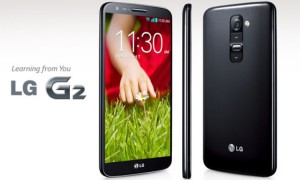
TOKYO: Just like any other smartphone, using the LG G2 might lead you to battery issues where it cuts on the power available at an extremely alarming pace. The good thing is that there are ways of getting this speed down and keeping more battery power for the greater part of the day. Along these lines, here are the best tips and tricks for keeping your LG G2 battery life longer.
Turn the screen brightness down
You might also like


LG G2 comes with an amazing screen that only staring at might entice you. However, this will come at a cost as your phone’s battery will quickly be depleted by this brightness. To save your battery’s power, lower the brightness of the display via the Display settings. It is recommended that you disable automatic brightness, which unnecessarily brightens the screen.
Another way of lowering power lost through screen display is by changing the time the LG G2 screen turns off, especially if you tend to leave your phone down unattended to for long periods.
Disable unwanted functionalities
There lots of processes and services that automatically initiate whenever you power on the G2. While most of these auto start-up programs are essential to the device, there are others that are completely unnecessary.
Some of them include background syncing activities that can be disabled via “Apps>Settings>Accounts & Sync” to take care of what gets synced and what is not. You can also check what apps are using too much battery power via the “System Settings>About Phone>Battery>Battery Use” and from here, it is possible to kill any battery hogging app as you wish.
Use Wi-Fi for internet and not mobile data
The best way to connect to the internet using your LG G2 is via Wi-Fi. This is true because this service uses less battery power than mobile data. So, for browsing and any internet needs, better stick with Wi-Fi for increased battery life. You can also venture a lot into offline services, for instance, Spotify premium and Pocket offline reader, which provide offline access to files that were saved at an earlier time. This will help cut on the battery usage of your LG G2.
Turn off wireless services when not in use
There is completely no need of having your Bluetooth or Wi-Fi services turned on when not using them. Other wireless services that might be eating up your battery life include GPS and NFC. Change these settings from the Quick Settings and you will start enjoying longer periods of use with your LG G2.
Turn off vibration
Vibration is a good way of being notified of any activity on your phone even when in a noisy place. However, it comes at a cost. The battery life of your LG G2 will not last longer with the vibration feature turned on. You can disable it via the sound settings where you can disable ringtones that include vibration and instead use plain ringtones.
If the same vibration is evident when touching things on the homescreen, you can get rid of it via the Touch Feedback and System section. Simply uncheck the “Vibrate on touch” option and that’s it.
Use power saver mode
The LG G2 comes with the power saver mode feature where the phone will automatically minimize the phone’s battery usage by cutting off some unnecessary processes like internet access, music, brightness, and wireless services.
You can check out this mode via “Settings>Battery” option from where you will be able to enable the Battery Saver mode when the battery life reaches a certain percentage, for instance, 30%. This feature is worth using if you want a longer battery life with your LG G2.