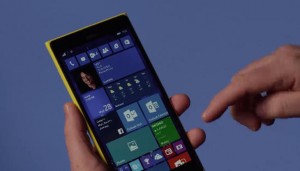
NEW YORK: Windows 10 has been introduced for Windows phones. Now fans will find a slew of new apps and features including revamp Phone, Messaging, and People apps. The Maps experience has been given a makeover, integrating Bing Maps and HERE maps to offer local search and voice-guided navigation. Of particular interest will be the new Outlook Mail app, which borrows some of Microsoft Word’s muscle to give you more powerful editing and formatting tools while you’re crafting emails.
There’s also an early version of Microsoft’s Project Spartan browser. It won’t feature many of the bells and whistles fans see in the PC version and isn’t the default browser for Windows Phones just yet, but this preview should give them an idea of where Microsoft’s latest browser is headed.


The first preview of Windows 10 on mobile devices arrived back in February, but it was limited to a handful of devices. Quite a few more phones are invited along for the ride this time: check out the Windows blog for the full list.
As with the Windows 10 Technical Preview on PCs, you need to be a member of the Windows Insider program to get in on the action. It’s free, so hop on over to the Windows Insider site to get started. Then, point your phone’s browser to the Windows 10 Technical Preview for phones page to grab the Windows Insider app for your Windows Phone.