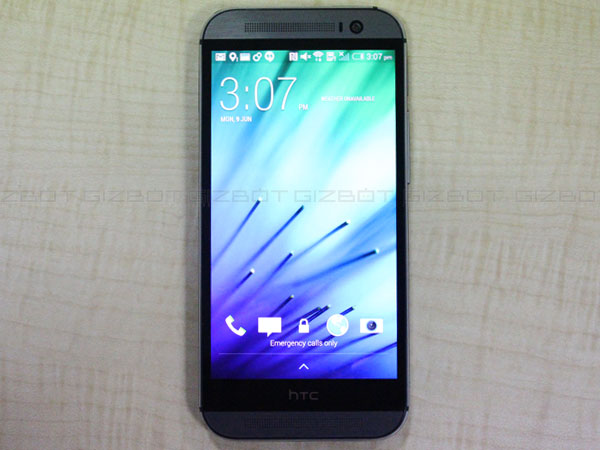
NEW DELHI: Resurrection Remix brings Android 5.1.1 Lollipop Custom ROM for the HTC One M8. This ROM comes with a great set of features mainly focused on customization and let you to modify your Smartphone the way you want.
The HTC One M8 will get the official Android 5.1.1 Lollipop update in near future but for those who can’t wait till the official firmware, can install this custom firmware using this tutorial and enjoy the latest Android. ALSO SEE: How to Update HTC One X to Android 5.1.1 Lollipop with Resurrection Remix ROM Overall this is a great and stable customized ROM that simply performs great. Note, this is not an official release by HTC; it is just a custom ROM, which requires a custom recovery installed in order to flash ROM. If you are interested to install Android 5.1.1 on other devices, check out Custom ROMs section. [Disclaimer: This procedure is highly technical. If the Smartphone brick or damaged during the installation process, GizBot cannot be held responsible for any kind of damage for the Smartphone. Hence, the user has to perform the installation on their own risk.]
You might also like


Resurrection Remix Custom ROM for HTC One M8 This Resurrection Remix custom ROM comes with tons of new features and is based on Android 5.1.1 Lollipop. A quick list of the main features in Resurrection Remix is given below and we are sure you’d love to use this on your One M8. Navigation Bar customization Status Bar customization Gesture anywhere recent panel Lockscreen Quick Slider shortcuts LCD Density Expanded Desktop Mode All New CM Audio FX App Heads up Customizations Overall Smoothness Improvements Quick Unlock Optimizations to Improve Battery ALL cm12 Features
Points to remember before starting installing custom ROM This tutorial is only to install the Resurrection Remix Android 5.1.for unlocked HTC One M8. Please don’t try this on any other variants of the phone. Backup all the important data, additional files, apps and settings. Installing custom ROM on the One X will wipe all the data. Use recovery tool to create a complete image of the existing phone setup. To create backup in recovery tool, select Backup and Restore and tap Backup in custom recovery mode. The Smartphone should be rooted with the latest ClockworkMod (CWM) or TWRP recovery tool before installing the custom ROM and its bootloader is unlocked. Ensure the Smartphone have at-least 80 percent of battery charge to avoid power off during installation process. Make sure USB drivers of HTC One X have been installed on the PC. Smartphones We have put together step-by-step installation details for installing the Resurrection Remix custom ROM on HTC One M8. For those who have installed custom ROM on Android devices, and then installing this ROM on HTC One M8 is no different. However, for beginners, read all the points and installation steps carefully before updating the handset? Also note that, installing the custom ROM or custom recovery will void the warrant of the device and will not get any official updates including security update from OEM or Google. Before starting the installation process, download required files to your computer from the links provided below. Android 5.1.1 Lollipop custom ROM (file name: Resurrection_Remix_LP_v5.4.7-20150613-m8.zip) Google Apps (select the correct Google application package for your device)
Step 1: Download the above files to your computer and extract boot.img from the custom ROM zip file. Step 2: Connect and mount the USB (mass) memory of your HTC One M8 on your computer using the USB cable. Step 3: Now copy and paste the downloaded zip files (Android ROM and Google Apps) to the SDcard root. Do not copy the files to phone’s internal memory or in any other folder; keep the files in the SD card root. Step 4: Copy and paste the boot.img file (which you extracted in the first step) to android-sdk-windows\platform-tools directory. Step 5: Turn off the Smartphone Step 6: Now get into the Bootloader or Fastboot mode, by holding the Volume Down + Power buttons together. Step 7: Once you get in to the Fastboot mode, navigate to android-sdk-windows\platform-tools directory on your computer and open Command Prompt by holding Shift and Right-click >> Open Command Prompt. Step 8: Type the following command and press Enter fastboot flash book boot.img Step 9: Now, type the following command and press Enter fastboot reboot Step 10: follow the on-screen navigation instructions. Select Bootloader and then go to Recovery. Step 11: Once you are in recovery mode, perform full data wipe by selecting ‘wipe data/factory reset’ option in the recovery mode. Use Volume keys to navigate and Power button to select, while operating in the recovery mode. Step 12: Clear cache memory of the One M8 by selecting ‘wipe cache partition’ Step 13: Go back to main menu of recovery mode and select ‘advance’ and choose ‘wipe dalvik cache’ to perform complete wipe. This step optional but it is recommended to clear dalvik cache to avoid boot loops and other errors during installation. Step 14: Again return to the main menu of the recovery mode and select ‘install zip from SD card’. Navigate to the phone’s SD card and select the custom ROM zip file, which you copied earlier to the root folder of phone’s SD card. Step 15: Repeat the step 8 to install Google Apps. Step 16: Once the custom ROM and Google Apps installation completes, go back to main menu of recovery mode and reboot the device by selecting ‘reboot system now’. Now the Smartphone will take about 5 minutes to boot for the first time with custom ROM installed. That’s it, now your Smartphone is running the Android 5.1.1 Custom ROM. To verify go to device Settings, scroll down till you get the About Phone and tap to verify the Android version.